> ## Documentation Index
> Fetch the complete documentation index at: https://meilisearch-6b28dec2-add-platform-documentation.mintlify.site/llms.txt
> Use this file to discover all available pages before exploring further.
# Operations
> Monitor bandwidth and API call activity for your Meilisearch Cloud project.
The operations section of the monitoring dashboard shows network activity and API call volume for your project. It is labeled **Beta** in the Cloud UI.
You can filter all charts by index using the **All indexes** dropdown, set a date range, or enable real-time mode. Timestamps are displayed in UTC.
## Bandwidth
The bandwidth chart shows the volume of data transferred in and out of your project, displayed in megabytes (MB).
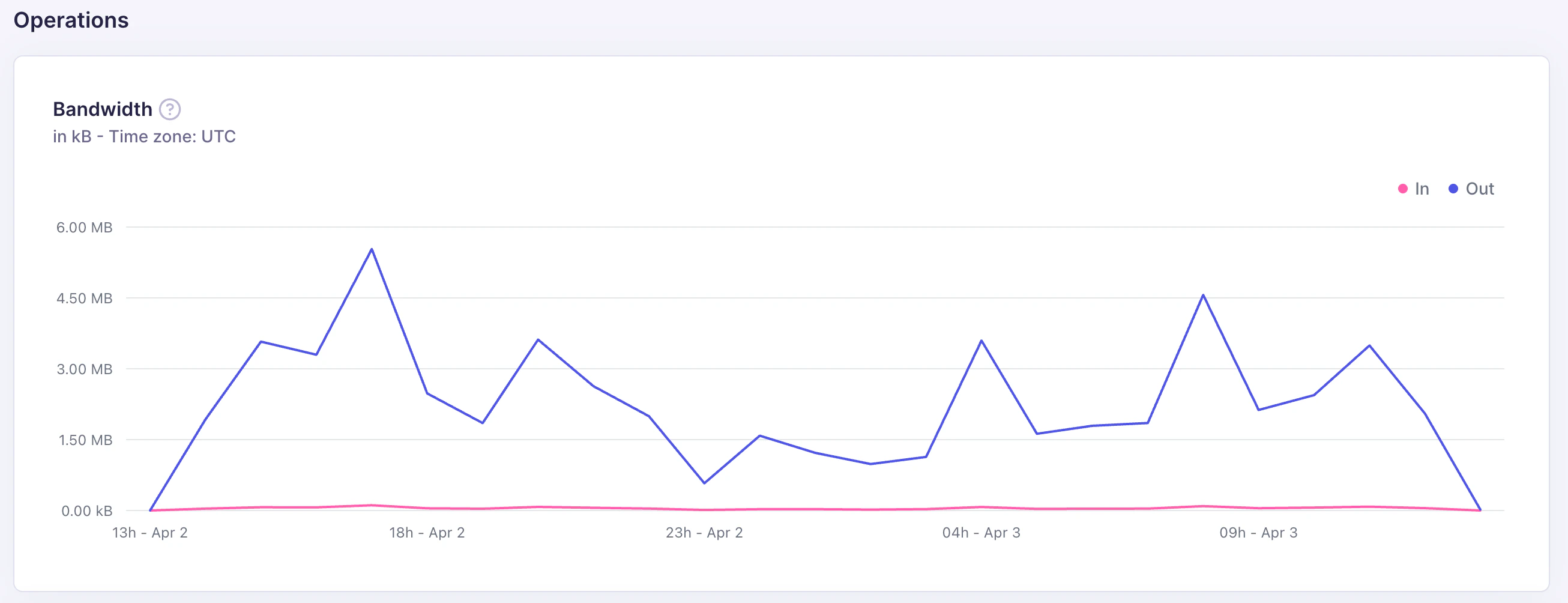 * **In**: data sent to Meilisearch (document additions, updates, settings changes)
* **Out**: data returned by Meilisearch (search results, document fetches)
Outbound bandwidth is typically much higher than inbound for read-heavy workloads. A sudden increase in inbound bandwidth usually corresponds to a large indexing operation.
## API calls
The API calls chart shows the number of requests to your project's API, broken down into **Failed** and **Successful** calls.
* **In**: data sent to Meilisearch (document additions, updates, settings changes)
* **Out**: data returned by Meilisearch (search results, document fetches)
Outbound bandwidth is typically much higher than inbound for read-heavy workloads. A sudden increase in inbound bandwidth usually corresponds to a large indexing operation.
## API calls
The API calls chart shows the number of requests to your project's API, broken down into **Failed** and **Successful** calls.
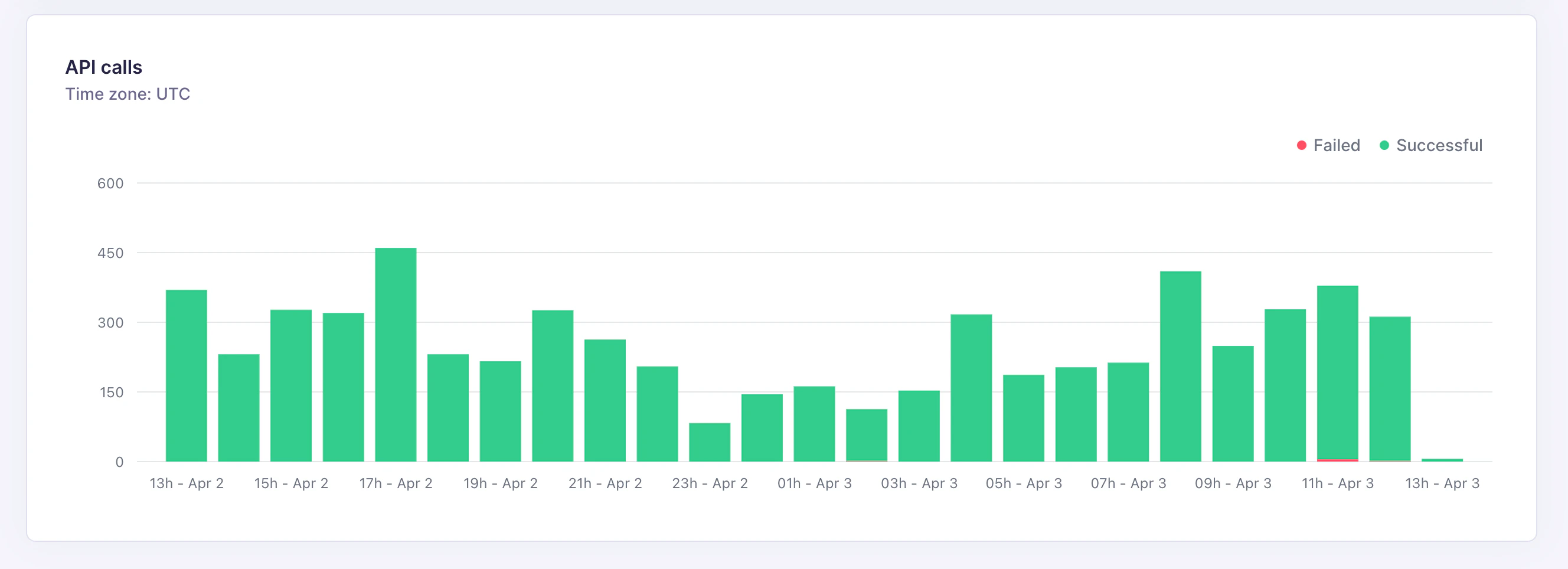 A healthy project should have near-zero failed calls. Common causes of failed API calls:
| Cause | Fix |
| -------------------------- | --------------------------------------------- |
| Expired or invalid API key | Rotate the API key in your project settings |
| Malformed request payload | Check your application's request construction |
| Rate limit exceeded | Reduce request frequency or upgrade your plan |
| Index does not exist | Verify the index name in your application |
A healthy project should have near-zero failed calls. Common causes of failed API calls:
| Cause | Fix |
| -------------------------- | --------------------------------------------- |
| Expired or invalid API key | Rotate the API key in your project settings |
| Malformed request payload | Check your application's request construction |
| Rate limit exceeded | Reduce request frequency or upgrade your plan |
| Index does not exist | Verify the index name in your application |