> ## Documentation Index
> Fetch the complete documentation index at: https://meilisearch-6b28dec2-add-platform-documentation.mintlify.site/llms.txt
> Use this file to discover all available pages before exploring further.
# Payment methods
> Add or update payment methods for your Meilisearch Cloud account through the Stripe customer portal.
Payment methods are managed through Stripe. To add, change, or remove a payment method, open the **Billing** tab in the Cloud dashboard and click **Manage billing settings and invoices**. This opens the Stripe customer portal.
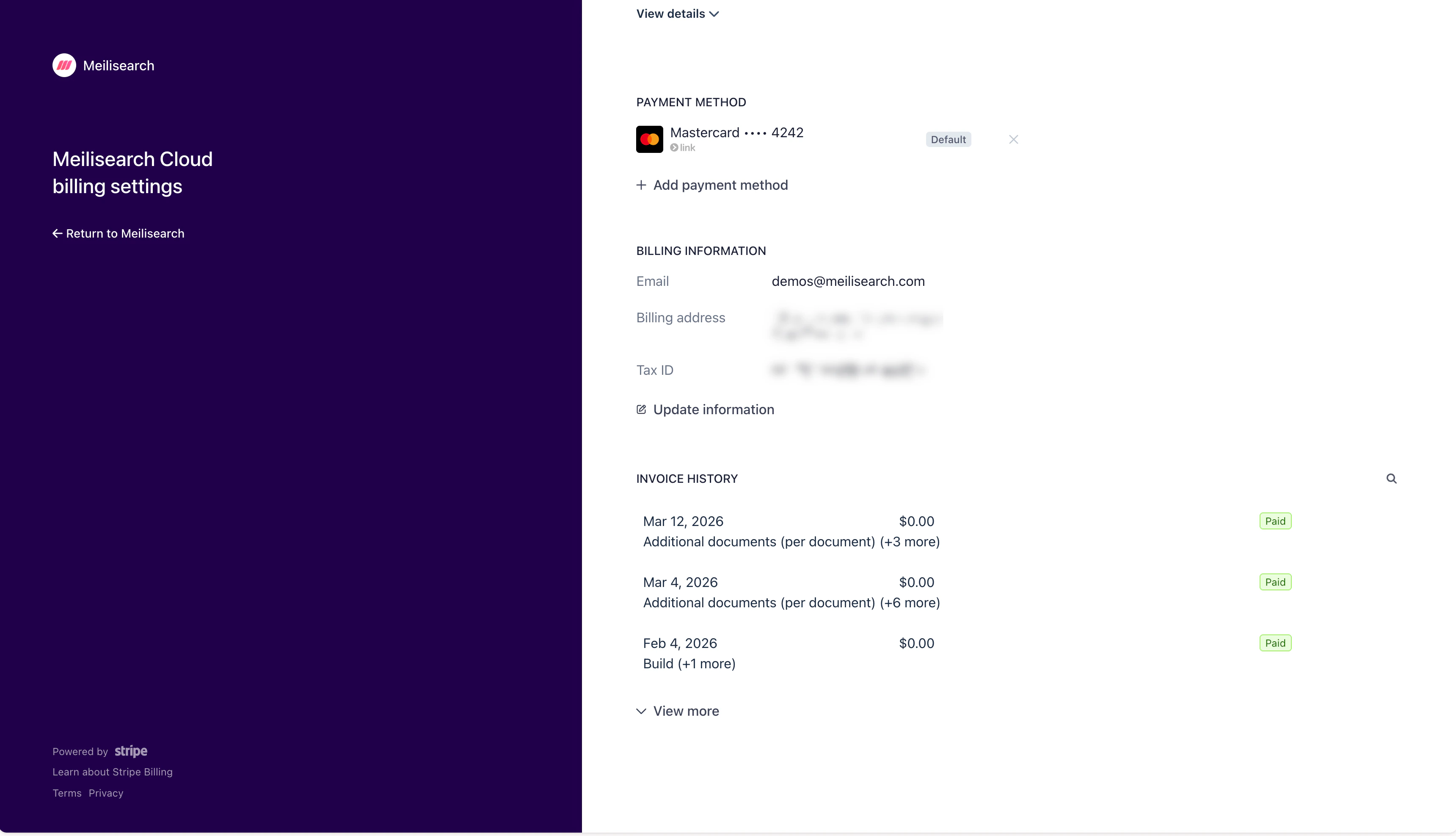 In the **Payment method** section of the portal:
* Click **+ Add payment method** to add a new card
* Click the **×** next to an existing card to remove it
* The card marked **Default** is the one charged automatically on each billing cycle
If a payment fails, Meilisearch Cloud will notify you by email. Update your payment method promptly to avoid service interruption.
In the **Payment method** section of the portal:
* Click **+ Add payment method** to add a new card
* Click the **×** next to an existing card to remove it
* The card marked **Default** is the one charged automatically on each billing cycle
If a payment fails, Meilisearch Cloud will notify you by email. Update your payment method promptly to avoid service interruption.